We Transform You Into AI Characters
Go live as an AI character, try on new looks in real time, and generate photos with Camify Studio. Ultra-low latency. Your reference photo is never stored on our servers.
What is Camify?
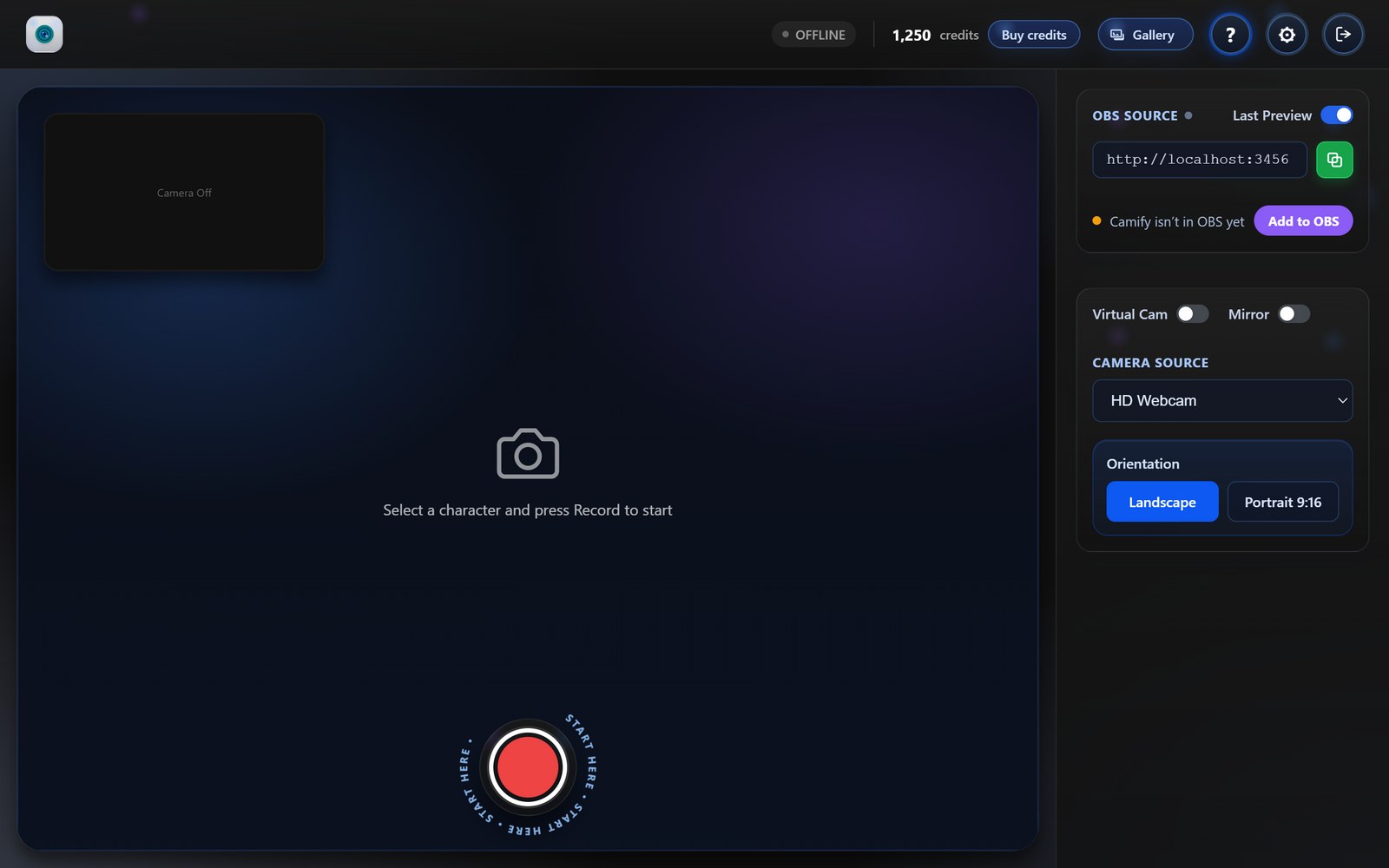
Camify is a real-time virtual camera app. Pick a reference image and the app drives that character live with your expressions and head movement, with very little delay, ready for Zoom, Twitch, and YouTube. Try on new looks in real time, and pair it with Camify Studio to generate more photos from the same reference.
Never stored on our servers
Your reference photo goes straight from your computer to our AI partner, which uses it to power your live character. It is never uploaded to or stored on Camify servers.
Runs on any laptop
No gaming PC required. No mask, no filter, no special configuration. Works with any skin color.
One identity engine. Three ways to create.
Camify turns your webcam into a living AI character, lets you try on new looks in real time, and pairs with Camify Studio to generate unlimited high-quality photos — all from a single reference image.
Transform into a video character
Step into an original AI character live on your webcam. Your expressions and head movement drive the avatar in real time, with very little delay — ready for Zoom, OBS, Twitch, and YouTube.
Virtual try-on, in real time
Change outfits, styles, and looks on the fly while you stream. Preview a complete new appearance instantly — no costumes, no green screen, no special hardware.
Generate more with Camify Studio
Take your character beyond live video. Camify Studio generates unlimited high-quality photos from your reference — new poses, scenes, and styles, ready to download and share.
open_in_new Open Camify StudioHow it works
Go from download to live in minutes. Camify runs as a desktop app and plugs into your favorite streaming and video chat tools.
Download the app
To begin using Camify on your laptop or desktop computer, download the desktop app for Windows or macOS.
Open it in your streaming app
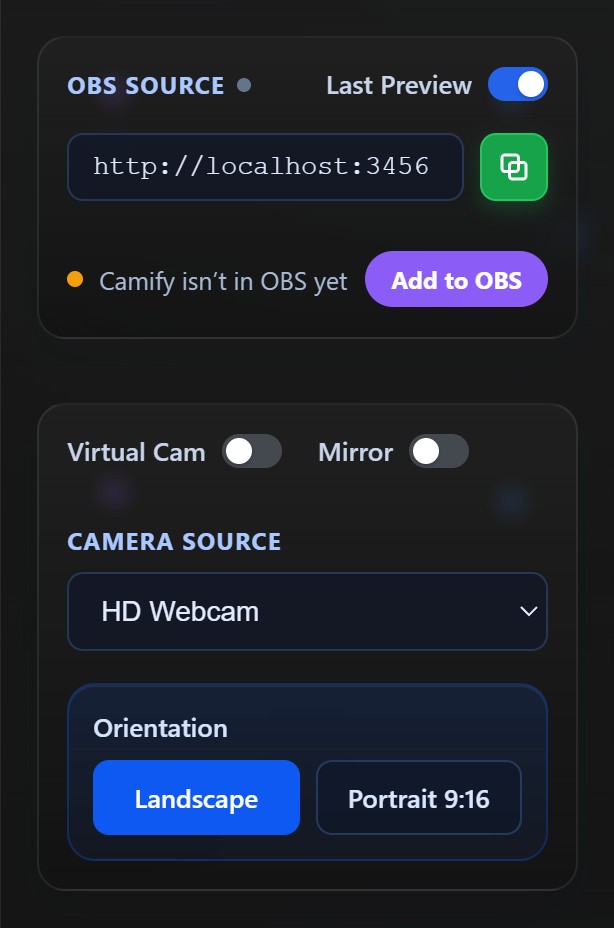
Open Zoom, Twitch, OBS, or your favorite service and select Camify as your webcam / virtual camera source.
Choose any image
Pick any image and drive the character live with your expressions and head movements, in real time.
Real-time AI, engineered to feel instant
Our core engine leverages neural video processing for seamless identity transformation, stable timing, and crisp output.
Instant Processing
Low-friction setup with responsive, real-time rendering.
HD Output
Clean frames optimized for OBS and studio workflows.
Low Latency
Built for natural, live interaction and presence.
Auto-Calibration
Adaptive tracking that fits your lighting and camera.
System requirements
Camify is optimized for real-time performance. Use the minimum specs for smooth preview, or the recommended specs for higher fidelity and headroom.
- Windows: Windows 10 Anniversary Update or newer
- macOS: macOS 12.3 or newer
- Intel Core i5 9400 or AMD Ryzen 5 2600 with 8 GB RAM (AVX2 support required)
- Intel UHD Graphics 630 (compatible with DirectX 12)
- A physical webcam
- Screen resolution of 1024×768
- Intel Core i5 11400 or AMD Ryzen 5 3600 with 16 GB RAM, or Apple M1
- NVIDIA GeForce 1660 or Radeon RX 580
Everything you need to run your AI camera
Built for creators: fast setup, studio controls, and reliable output for streaming and video calls.
Frequently asked questions
Everything you need to know before you start.
What is Camify? add
Camify is a desktop app that turns your webcam into a real-time AI character. Pick a reference image and the app drives that character live with your expressions and head movement, then outputs to a virtual camera you can use in Zoom, OBS, Twitch, WhatsApp and more.
Is my reference photo uploaded to your servers? add
No. Your reference photo goes straight from the Camify app to our AI partner, Decart, which uses it to generate your live character. It is never uploaded to or stored on Camify servers. Our Privacy Policy has the details.
Can I use Camify to look like a real person? add
Only yourself, or someone who has given you their explicit permission. Camify is made for original, made-up characters and trying on new looks. Impersonating real people, catfishing and deepfakes made to deceive or harm are banned by our Acceptable Use Policy, and can get your account closed.
Which apps does Camify work with? add
Any app that lets you pick a webcam — including Zoom, Google Meet, Microsoft Teams, OBS, Twitch, YouTube and WhatsApp video. For OBS you can also use the built-in Browser Source.
What do I need to run it? add
A Windows 10 (or newer) or macOS 12.3 (or newer) computer with a webcam. See the System Requirements section above for minimum and recommended specs.
How does pricing work? add
Camify runs on credits. You buy a credit balance and use it as you stream. You pay with Bitcoin or USDT, verified by our team. See the Pricing page for current plans.
Can I get a refund? add
Credits are consumable and are activated immediately on purchase, so purchases are generally non-refundable, except where the law gives you a right we cannot override. Full details are on our Refund Policy page.
What is Camify Studio? add
Camify Studio is our companion product for generating high-quality AI photos from the same reference — new poses, scenes and styles you can download. Open it from the Studio button in the menu.
How do I get support? add
Email us at support@camifycam.site or use the form on the Contact page. We reply by email during business hours.

Ready to go virtual
Download the Camify app for Windows and macOS and go live as your character.
download Download now